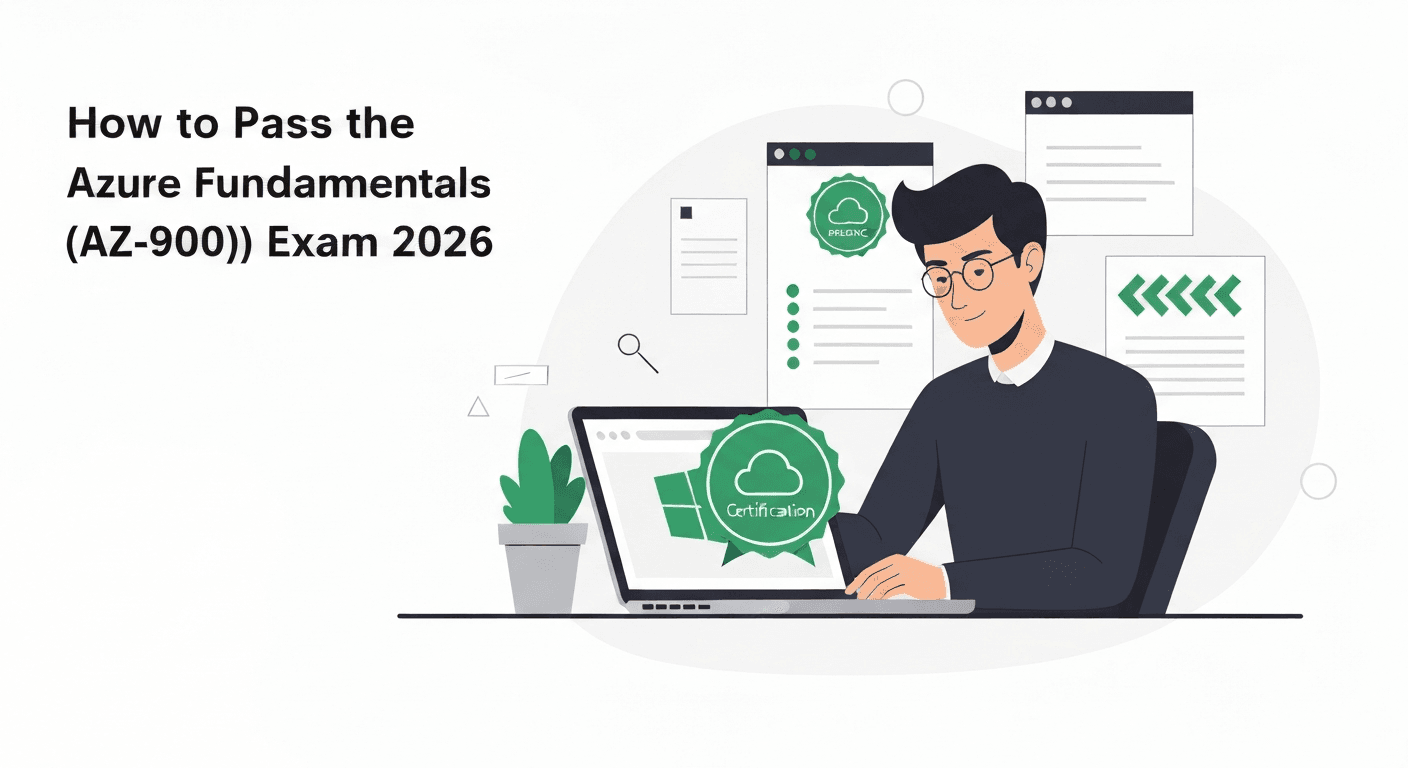
How to Pass the Azure Fundamentals (AZ-900) Exam in 2026
A complete study guide for the Azure Fundamentals AZ-900 exam. Learn cloud concepts, Azure services, security, pricing, and governance with a 1-week crash plan to pass on your first attempt.

How to Pass the Azure Fundamentals (AZ-900) Exam in 2026
The Azure Fundamentals (AZ-900) exam is the most popular Microsoft certification exam in the world. Hundreds of thousands of people take it every year, and for good reason: it is the fastest way to earn a respected cloud certification, it requires no prerequisites, and it opens the door to the entire Azure certification ecosystem.
Whether you are starting a career in cloud computing, adding Azure to your existing skill set, or simply validating your understanding of cloud concepts, AZ-900 is the place to start. This guide covers every domain, compares AZ-900 with the AWS equivalent, and gives you a focused 1-week crash plan.
Exam Overview
The AZ-900 exam has 40-60 questions and you get 45 minutes. You need a score of 700 out of 1000 to pass. The exam costs $99 USD, but Microsoft frequently offers free exam vouchers through Virtual Training Days events. Check the Microsoft Events page before paying — you can often get this certification for free.
The exam can be taken at a Pearson VUE testing center or with online proctoring from home.
No prerequisites are required. No cloud experience, no programming knowledge, no IT background needed. If you can read and understand technology concepts, you can pass this exam.
AZ-900 vs AWS CLF-C02 (Cloud Practitioner)
If you are deciding between Azure and AWS fundamentals certifications, here is how they compare:
| Aspect | AZ-900 | AWS CLF-C02 |
|---|---|---|
| Questions | 40-60 | 65 |
| Time | 45 minutes | 90 minutes |
| Passing score | 700/1000 | 700/1000 |
| Cost | $99 | $100 |
| Difficulty | Easy | Easy |
| Free voucher option | Yes (Virtual Training Days) | No |
| Renewal | Annual (free online) | Every 3 years (retake exam) |
Both exams test similar concepts at similar difficulty levels. The biggest advantage of AZ-900 is the free voucher option and the free annual renewal. AWS requires you to retake the exam (or pass a higher-level exam) every three years.
If you work in an enterprise environment, Azure certifications may carry more weight since Microsoft dominates enterprise IT. If you work with startups or in a cloud-native environment, AWS may be more relevant. Both are excellent starting points.
The Three Exam Domains
Domain 1: Cloud Concepts (25-30%)
This domain tests your understanding of cloud computing fundamentals that apply to any cloud platform.
What is cloud computing:
Cloud computing is the delivery of computing services — servers, storage, databases, networking, software, analytics, AI — over the internet. Instead of buying and maintaining physical servers, you rent computing power from a cloud provider and pay only for what you use.
Cloud models:
- Public cloud — owned by cloud providers (Microsoft, AWS, Google), shared infrastructure, pay-as-you-go. Example: Azure, AWS, GCP.
- Private cloud — dedicated to a single organization, on-premises or hosted. More control, higher cost.
- Hybrid cloud — combination of public and private. Workloads can move between them. This is Microsoft’s strongest messaging point.
Cloud service types:
- IaaS (Infrastructure as a Service) — you manage the OS and everything above it. Example: Azure Virtual Machines.
- PaaS (Platform as a Service) — the provider manages the OS and runtime. You manage your application and data. Example: Azure App Service.
- SaaS (Software as a Service) — the provider manages everything. You just use the software. Example: Microsoft 365, Salesforce.
Know the shared responsibility model: what Microsoft manages vs what you manage for each service type. For IaaS, you are responsible for more. For SaaS, Microsoft is responsible for almost everything.
Key cloud benefits to memorize:
- High availability — systems remain accessible even when components fail
- Scalability — ability to increase or decrease resources based on demand (vertical = bigger machine, horizontal = more machines)
- Elasticity — automatic scaling based on demand
- Agility — rapidly provisioning and deprovisioning resources
- Geo-distribution — deploying resources close to users worldwide
- Disaster recovery — recovering from failures with minimal data loss and downtime
Consumption-based model:
- No upfront costs (CapEx) for cloud resources
- Pay for what you use (OpEx)
- Stop paying when you stop using
- Know the difference between CapEx (capital expenditure, buying equipment) and OpEx (operational expenditure, ongoing costs)
Domain 2: Azure Architecture and Services (35-40%)
This is the heaviest domain and covers the core Azure services you must know.
Azure architecture:
- Regions — geographic areas containing one or more data centers. Azure has 60+ regions worldwide.
- Availability Zones — physically separate data centers within a region. At least 3 zones per enabled region.
- Region pairs — two regions paired for disaster recovery (e.g., East US and West US).
- Resource groups — logical containers for Azure resources. Every resource must belong to exactly one resource group.
- Subscriptions — a billing and access control boundary. One account can have multiple subscriptions.
- Management groups — organize subscriptions into hierarchies for policy and access management.
Compute services:
- Virtual Machines — IaaS, full control, any OS. Know availability sets and scale sets.
- App Service — PaaS for web apps, APIs, mobile backends. Supports .NET, Java, Python, Node.js, PHP.
- Azure Functions — serverless compute, event-driven, pay per execution.
- Azure Container Instances (ACI) — run containers without managing VMs.
- Azure Kubernetes Service (AKS) — managed Kubernetes for container orchestration.
- Azure Virtual Desktop — virtual desktop infrastructure in the cloud.
Networking services:
- Virtual Network (VNet) — isolated network in Azure, similar to AWS VPC.
- VNet peering — connecting two VNets.
- VPN Gateway — encrypted connection between Azure and on-premises.
- Azure ExpressRoute — dedicated private connection from on-premises to Azure (not over the public internet).
- Azure DNS — hosting DNS domains.
- Azure Load Balancer — Layer 4 load balancing.
- Azure Application Gateway — Layer 7 load balancing with WAF.
- Azure Front Door — global load balancing with CDN and WAF.
- Azure CDN — content delivery network for caching static content close to users.
Storage services:
- Azure Blob Storage — object storage for unstructured data (like AWS S3).
- Hot tier — frequently accessed data
- Cool tier — infrequently accessed (30-day minimum)
- Cold tier — rarely accessed (90-day minimum)
- Archive tier — almost never accessed (180-day minimum)
- Azure Files — managed file shares (SMB and NFS).
- Azure Queue Storage — message queuing service.
- Azure Table Storage — NoSQL key-value store.
- Azure Disk Storage — managed disks for VMs (Standard HDD, Standard SSD, Premium SSD, Ultra Disk).
Storage redundancy options (memorize these):
- LRS (Locally Redundant Storage) — 3 copies in one data center
- ZRS (Zone-Redundant Storage) — 3 copies across 3 availability zones
- GRS (Geo-Redundant Storage) — 6 copies: 3 in primary region, 3 in secondary region
- GZRS (Geo-Zone-Redundant Storage) — combines ZRS in primary region with GRS to secondary
Database services:
- Azure SQL Database — managed SQL Server, PaaS.
- Azure SQL Managed Instance — near-full SQL Server compatibility, easier migration.
- Azure Database for MySQL/PostgreSQL/MariaDB — managed open-source databases.
- Azure Cosmos DB — globally distributed, multi-model NoSQL database with single-digit millisecond latency.
Other important services:
- Azure Marketplace — third-party solutions and services.
- Azure IoT Hub — connecting and managing IoT devices.
- Azure AI Services — pre-built AI capabilities (Vision, Language, Speech).
- Azure DevOps — development tools for CI/CD.
Domain 3: Azure Management, Security, and Governance (30-35%)
Identity and access:
- Microsoft Entra ID (formerly Azure AD) — identity and access management service. Understand it as the Azure equivalent of IAM + Active Directory.
- Authentication — proving who you are (passwords, MFA, passwordless).
- Authorization — determining what you can access.
- Multi-factor authentication (MFA) — requiring two or more verification methods.
- Conditional Access — policies that grant or block access based on conditions (location, device, risk).
- Single sign-on (SSO) — one login for multiple applications.
- Role-Based Access Control (RBAC) — granting permissions based on roles (Owner, Contributor, Reader).
Security services:
- Azure Security Center (now Microsoft Defender for Cloud) — unified security management and threat protection.
- Azure Key Vault — storing secrets, keys, and certificates securely.
- Azure DDoS Protection — Standard tier for advanced DDoS mitigation.
- Azure Firewall — managed network firewall.
- Network Security Groups (NSGs) — filtering network traffic to/from Azure resources.
Governance tools:
- Azure Policy — enforcing organizational standards (e.g., “all resources must be in East US region”).
- Resource locks — preventing accidental deletion or modification (Delete lock vs ReadOnly lock).
- Azure Blueprints — packaging policies, RBAC, and resource templates for repeatable deployments.
- Azure Resource Manager (ARM) — the deployment and management layer for Azure resources. ARM templates define infrastructure as code.
- Tags — metadata for organizing and categorizing resources (e.g., environment:production, department:finance).
Cost management:
- Azure Cost Management + Billing — monitoring and controlling Azure spending.
- Pricing calculator — estimating costs before deploying resources.
- TCO (Total Cost of Ownership) calculator — comparing on-premises costs vs Azure.
- Azure Reservations — committing to 1 or 3 years for discounted pricing.
- Azure Spot VMs — using unused capacity at deep discounts (can be evicted).
Monitoring:
- Azure Monitor — collecting, analyzing, and acting on telemetry data.
- Azure Service Health — tracking Azure service issues, planned maintenance, and health advisories.
- Azure Advisor — personalized recommendations for cost, security, reliability, performance, and operational excellence.
The 1-Week Crash Plan
This plan works for people with some IT background who can dedicate 3-4 hours per day. If you have zero IT experience, extend this to two weeks.
Day 1: Cloud Concepts (3 hours)
- Study cloud models (public, private, hybrid)
- Learn IaaS, PaaS, SaaS with examples
- Understand CapEx vs OpEx
- Memorize cloud benefits: HA, scalability, elasticity, agility
- Complete Microsoft Learn path: “Describe cloud concepts”
- 30 practice questions in StudyKits
Day 2: Azure Architecture and Compute (3.5 hours)
- Study regions, availability zones, region pairs
- Learn resource hierarchy: management groups, subscriptions, resource groups
- Master compute services: VMs, App Service, Functions, ACI, AKS
- Complete Microsoft Learn path: “Describe Azure architecture and services” (Part 1)
- 30 practice questions
Day 3: Networking and Storage (3.5 hours)
- Study VNet, VPN Gateway, ExpressRoute, Load Balancer, Application Gateway
- Learn storage types: Blob (hot/cool/cold/archive), Files, Queues, Tables, Disks
- Memorize redundancy options: LRS, ZRS, GRS, GZRS
- Complete Microsoft Learn path: “Describe Azure architecture and services” (Part 2)
- 35 practice questions
Day 4: Databases and Identity (3.5 hours)
- Study database options: SQL Database, Cosmos DB, managed open-source
- Learn Microsoft Entra ID: authentication, authorization, MFA, Conditional Access, SSO
- Understand RBAC: Owner, Contributor, Reader roles
- 40 practice questions
Day 5: Security, Governance, and Cost (3.5 hours)
- Study Defender for Cloud, Key Vault, DDoS Protection, Firewall, NSGs
- Learn governance: Azure Policy, resource locks, Blueprints, tags
- Understand cost tools: pricing calculator, TCO calculator, Cost Management
- Azure Advisor and Azure Monitor
- 40 practice questions
Day 6: Full Practice Exam (3 hours)
- Take a complete timed practice exam (45 minutes) in StudyKits
- Review every incorrect answer thoroughly
- Identify your two weakest areas
- Re-study those areas using Microsoft Learn
- Take a second practice exam if time allows
Day 7: Final Review and Exam (2 hours study + exam)
- Light review of weak areas (1 hour maximum)
- Quick review of key terms and service names
- Do not study new material
- Take the exam
Essential Terms to Memorize
These terms appear repeatedly on the exam:
- High availability = systems stay running when failures occur
- Scalability = adding resources to handle load
- Elasticity = automatically scaling based on demand
- CapEx = buying equipment upfront
- OpEx = paying as you go
- IaaS = you manage OS and above
- PaaS = you manage app and data
- SaaS = you just use it
- RBAC = permissions based on roles
- NSG = network traffic filter
- ARM = Azure’s management layer
Tips for Exam Day
- The AZ-900 is short — 40-60 questions in 45 minutes. You have about 1 minute per question.
- Most questions are straightforward. If a question feels overly complex, re-read it — the answer is usually simpler than you think.
- “Which service” questions are the most common type. Know what each service does and when to use it.
- Watch for questions about the shared responsibility model. Know what Microsoft manages vs what you manage for IaaS, PaaS, and SaaS.
- Cost-related questions are common. Know the difference between the pricing calculator (estimate costs) and TCO calculator (compare on-prem vs cloud).
What Comes After AZ-900?
AZ-900 is your foundation. From here, the most common next step is AZ-104 (Azure Administrator Associate), which dives deep into managing Azure resources hands-on.
For a complete view of all Azure certification paths, read our Azure Certification Path 2026 guide.
For a comparison across cloud providers, check our AWS vs GCP vs Azure Certifications guide.
Start Studying Today
The AZ-900 is achievable in one week with focused study. It is the fastest path to a recognized cloud certification, and it sets the stage for everything else in the Azure ecosystem.
Download StudyKits and start practicing with AZ-900 questions today. Our practice questions match the format of the real exam, with detailed explanations that help you understand every concept.
Start Studying Free on iOS
Practice cloud certification questions anytime, anywhere. Track your progress and ace your exam.
Download FreeRelated Articles
AWS SAA-C03 vs Azure AZ-305 vs GCP PCA: Cloud Architect Certification Showdown
Compare the three major cloud architect certifications: AWS SAA-C03, Azure AZ-305, and GCP Professional Cloud Architect. Side-by-side analysis of format, difficulty, cost, and career value.
Multi-Cloud Certification Strategy 2026: How to Stack AWS, Azure, and GCP Certs
Build a strategic multi-cloud certification path across AWS, Azure, and GCP. Learn the optimal stacking order by role, knowledge transfer between providers, and a 12-month roadmap.
How to Pass the PMP Exam in 2026: The Definitive Study Guide
A comprehensive guide to passing the PMP exam in 2026. Learn the exam format, domain breakdown, eligibility requirements, and a proven 10-week study plan with practice question strategies.